XR Center
What’s New in 1.23 for the SKYREAL collaboration and project management platform XR Center
Experience Resources
Upload and download documents, images, videos and other media linked to an experience, and find them wherever you are.
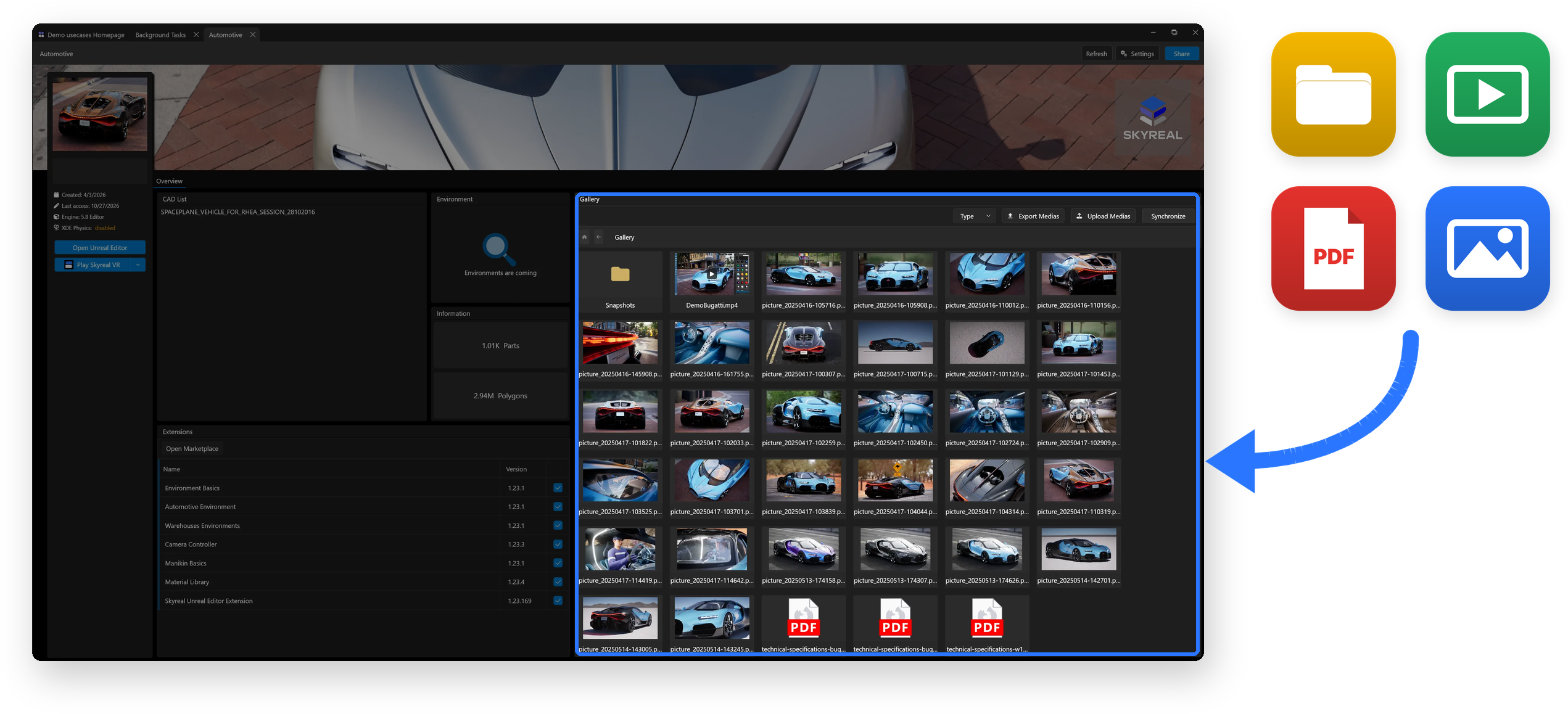
Background Tasks Management
One list for all your tasks, available on any computer. Deck now lets you view all your background tasks (Import, Preparation, Scripts, etc.) in a single list. Tasks are linked to your account, so you can start a task from one computer and follow it up from another, without losing track of its progress.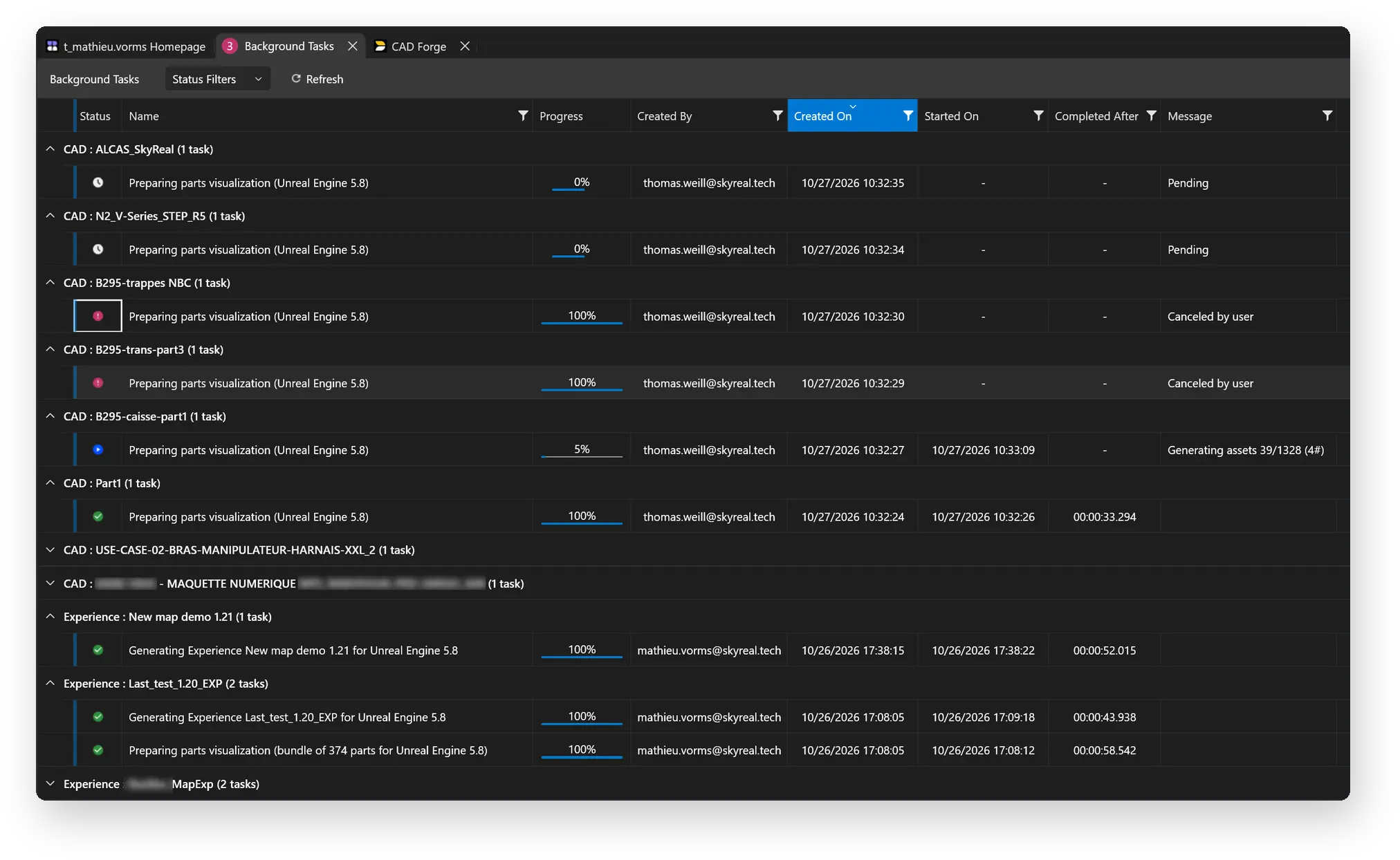
Marketplace available for CAVE & Powerwall
Extensions now available on CAVE and Powerwall: Load extensions from the Marketplace directly on your CAVE and Powerwall setups. Remember that you can also customize your own extensions and bring them to the Marketplace.
Note that Collaborative sessions are also supported through the Generic Agent (Collab Worker only, no P2P).
Industrial-Grade Cybersecurity
Hardened by multiple penetration tests: XR Center has reached an Industrial Grade security level, validated by our aerospace and defense clients as meeting their requirements.

Customized Logo Management
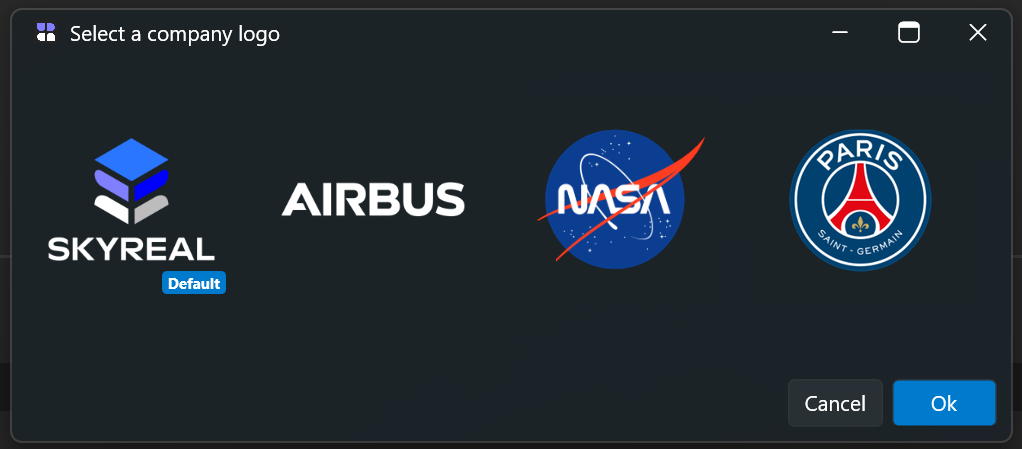
Set your logo, or a full logo pack, once at XR Center level and apply it across all your experiences, for a consistent visual identity in every session.
OpenTelemetry Support
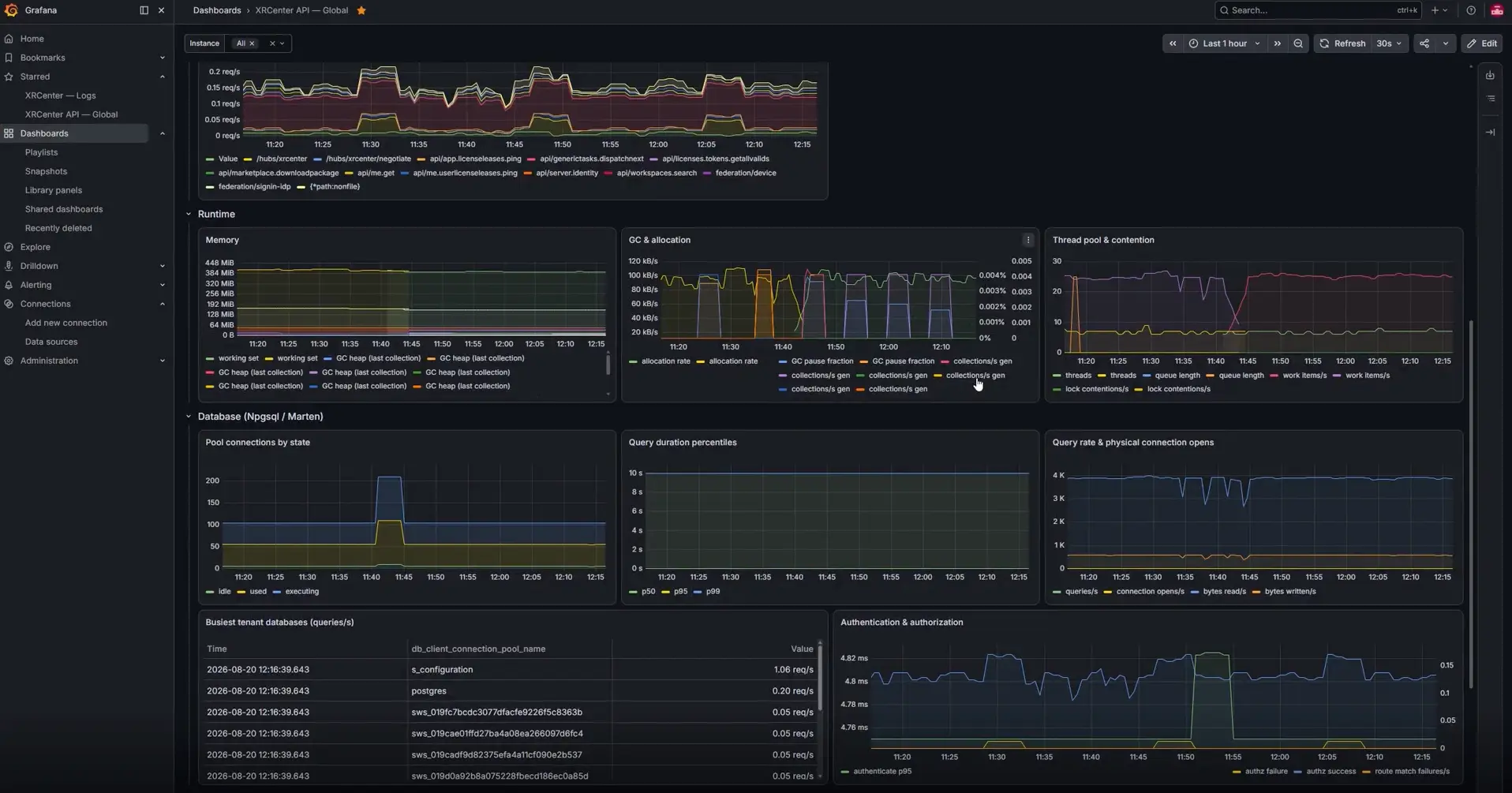
Monitor all XR Center activity from your own tools: XR Center now exports its telemetry in the OpenTelemetry standard. Connect it to the monitoring platform you already have and see how your XR environment is used: who connects, to which experiences, how often and for how long. Track usage, spot trends and keep all your monitoring in one place.
Deck Web
Deck is now available in your web browser. Prepare your sessions ahead of time, pick up where you left off afterwards, and manage your experiences and resources from wherever you are, even away from your VR workstation.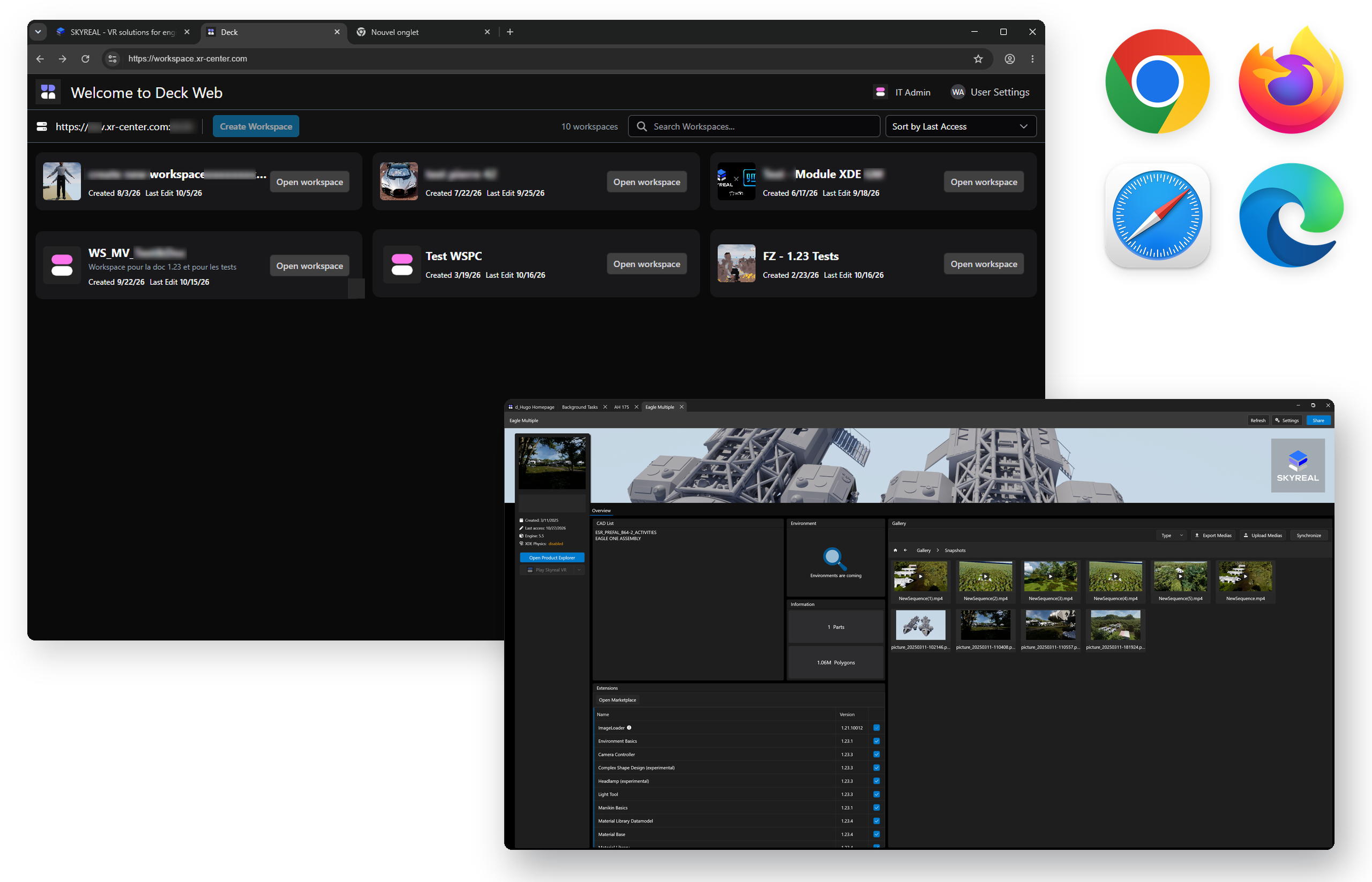

Skyreal VR
Advanced Physics Module
Advanced Physics is now fully integrated into Skyreal VR: The module now runs on a brand new XDE engine with high-performance collision detection, directly inside Skyreal VR.
- New UI for physics projects: A completely redesigned interface for projects that involve physics. Everything is now organized in a project tree, for easier and more consistent modeling of rigid bodies, joints and snap.

- Simplified setup: Configuring collisions and kinematic joints is now easier and faster.
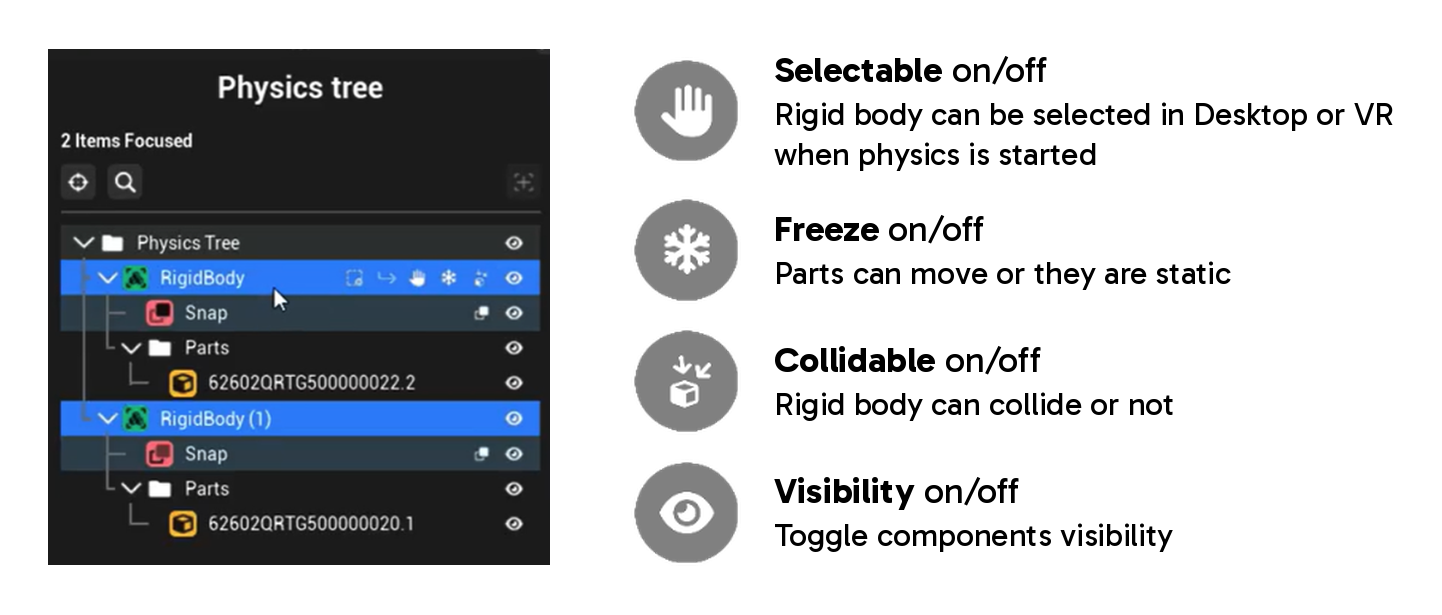
- Simplified monitoring: Each object’s status is shown as an icon directly in the physics tree (Active, Selectable, Collidable, Freeze, Lock, Snapped), so you can check and change it at a glance, without opening its properties.

- Snaps are now part of the new physics project tree, alongside rigid bodies and joints, so you can set them up in the same place as the rest of your model. Snaps can be attached to the world or to another object, and can be breakable: they unsnap and resnap, letting you assemble and disassemble in the same session, without resetting your scene.
The user can define the threshold (distance) that triggers the snapping action.

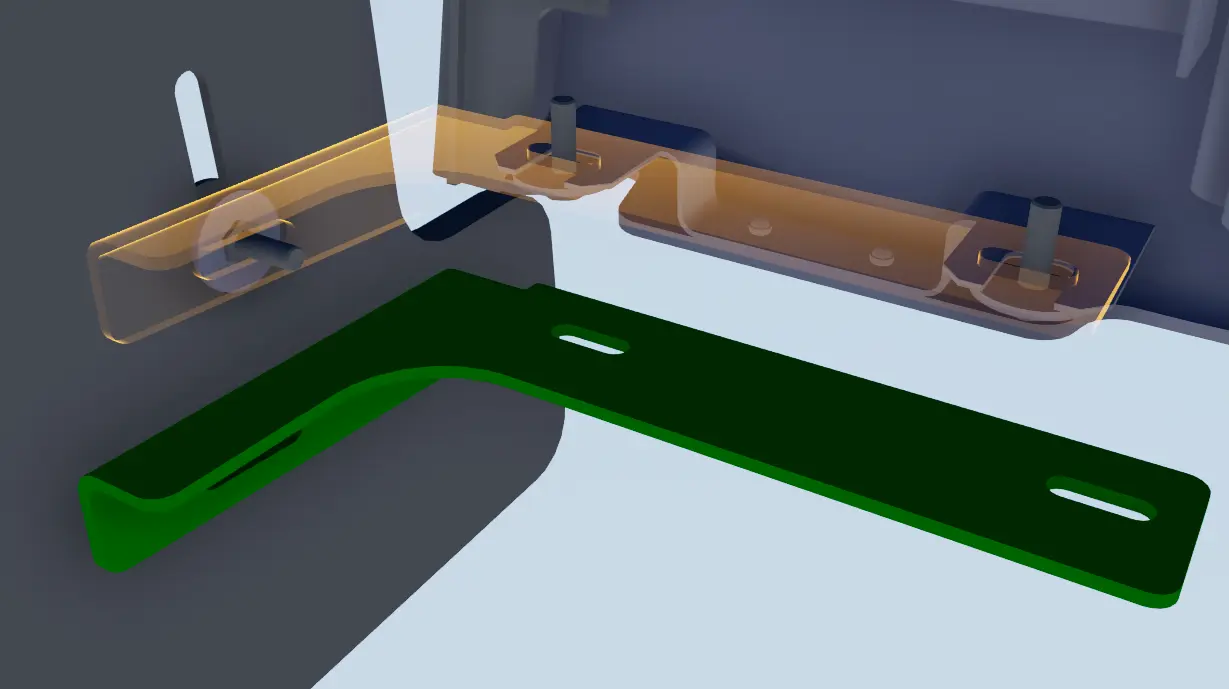
- Pick axis improvement: A new window lets you select the axis of a cylinder when creating a joint, so you can define rotations and slides precisely on the geometry, without setting the axis by hand.

- State management per rigid body or subsystem: From the physics tree, save the state of a rigid body or a whole subsystem, including positions, physical properties and statuses. Reload it at any time to restart your simulation from a known configuration, or switch between several setups of the same assembly.
- Grab improvements for Advanced Physics : All Skyreal VR grab types now work with physics and come with their own dedicated settings:
– Auto-computed: stiffness and damping are computed dynamically from a single time value. The lower the value, the more responsive the grab.
– Manual: the user sets stiffness and damping directly.
– Saturation: sets a maximum weight. - Automatic mass computation:
Skyreal VR now computes the volume of each rigid body and deduces (based on its density) its mass, moments of inertia and center of mass, so your simulation behaves realistically without manual input. - Record your simulations: Record simulations made with Advanced Physics into a SKYREAL animation.
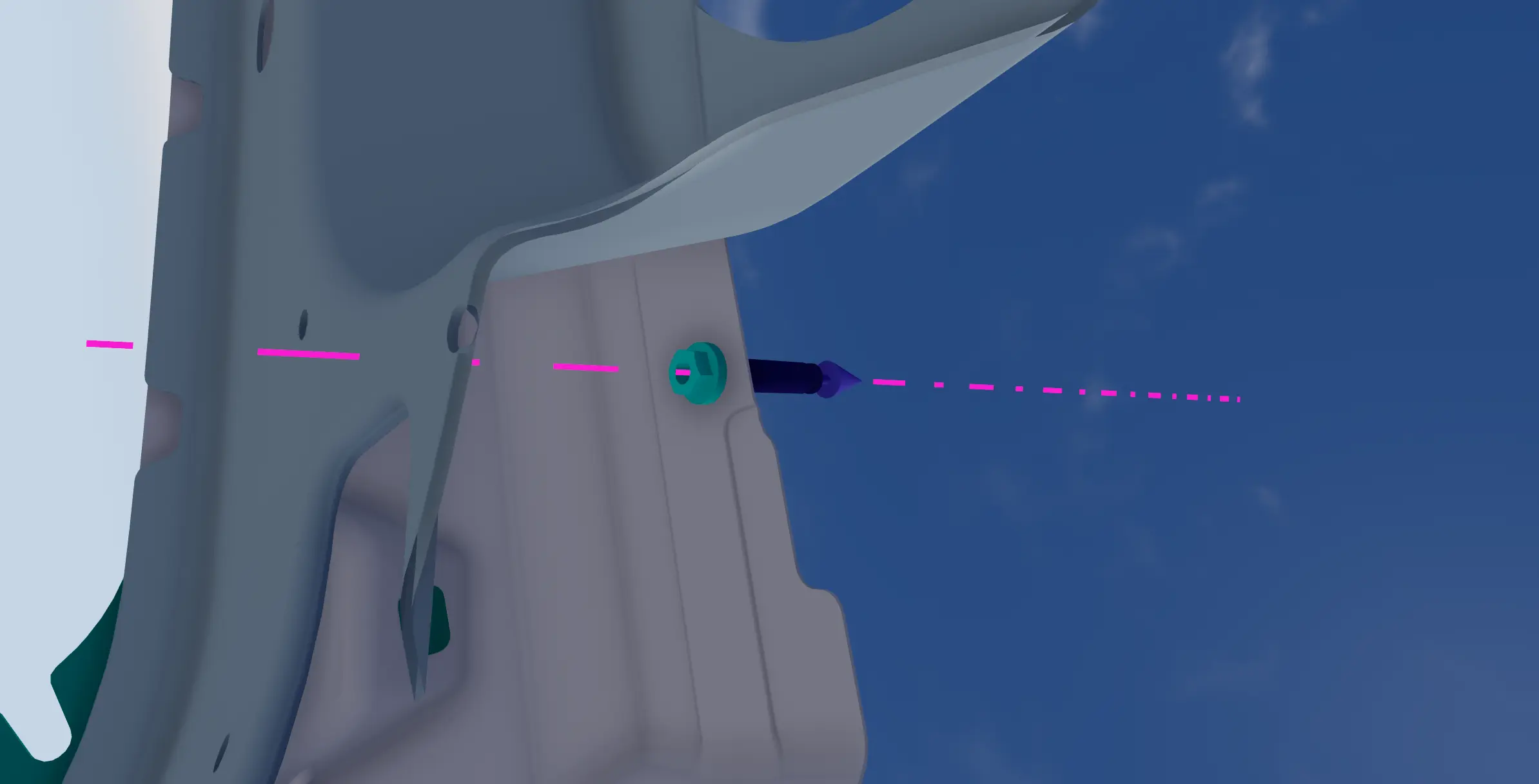
Advanced Physics is available as an additional module in Skyreal VR, contact our sales team to test it:
Performance Optimizations
- Faster cutting geometry: The cutting geometry has been reworked for a significant performance gain, and is now compatible with Material Library materials.
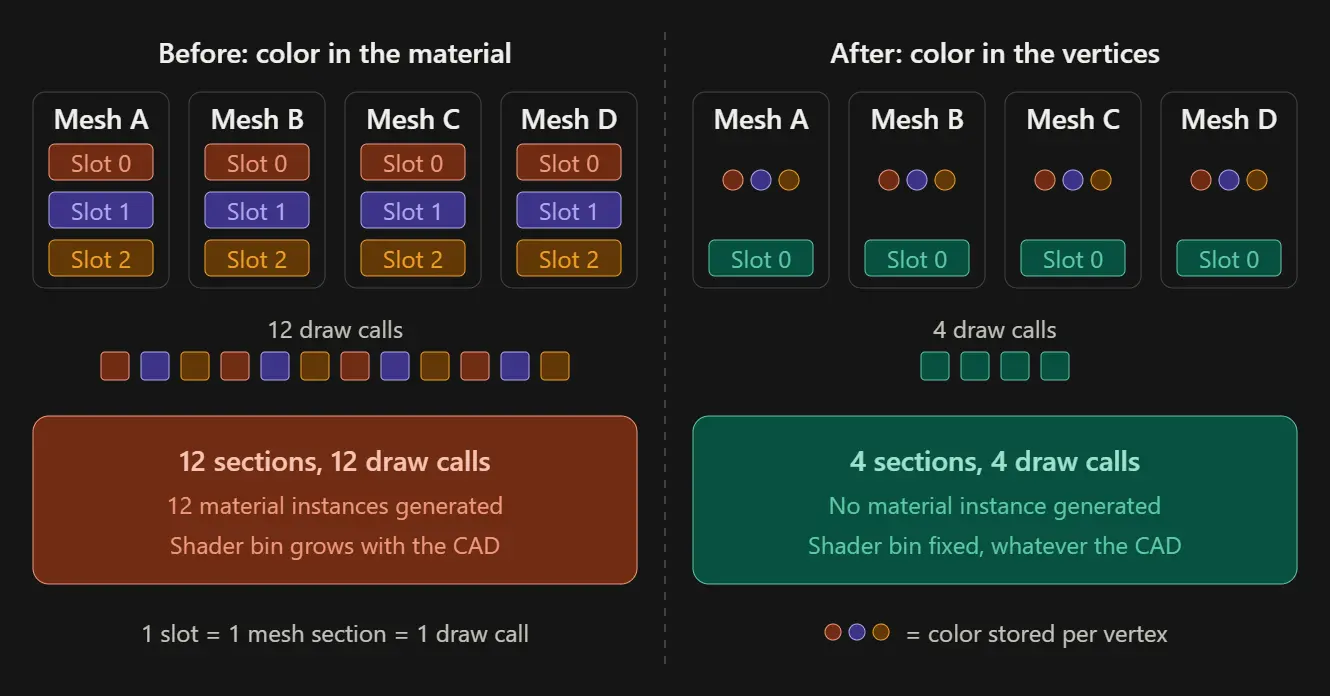
- A faster and leaner rendering pipeline, Skyreal VR now uses a single shader across the whole application, based on vertex color. This reduces draw calls and shader binaries for better performance.

Improvements
- Snap Turn: Change your Snap Turn angle directly in the navigation settings.
- Product tree: Updated scene tree for a clearer view of your product structure.
- Spectator View: Control What Your Guests See and Do.
– Share your view with another user and decide what they can see and what they can do, for a controlled and secure sharing experience.
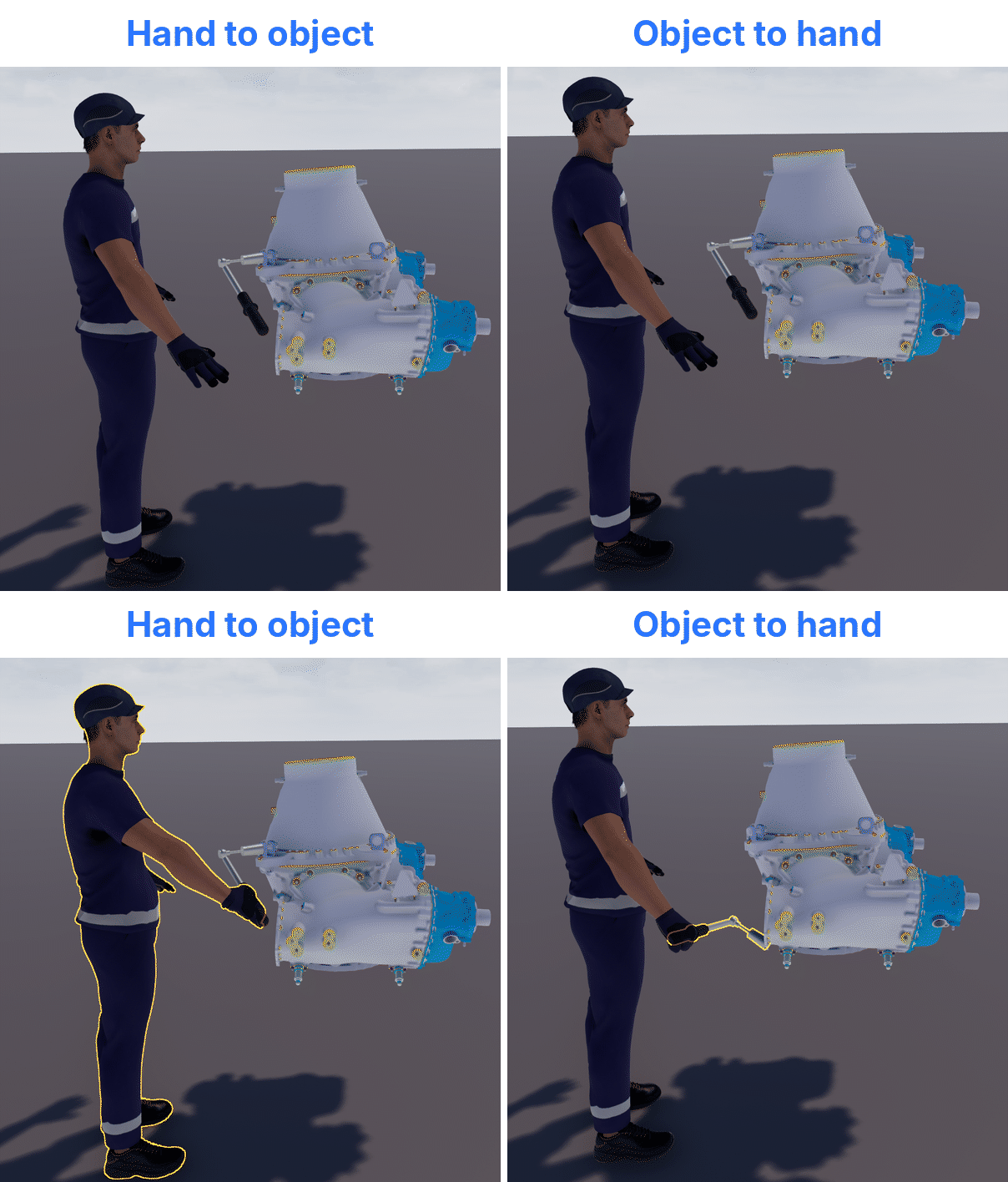
– Adapt each shared session to its audience, whether it’s a quick demo, a review or a guided visit. - Hand Effector / Snap Actor: Decide how tools are grabbed
– Choose how the hand and the tool meet: either the tool is attached to the hand, or the hand snaps to the tool at its placed position.
– Pick the behavior that best fits each scenario, depending on whether the tool should move to the user or stay where it is.
- Updated manikins: lighter models that take up less disk space, and improved visuals (body shape, textures, details).
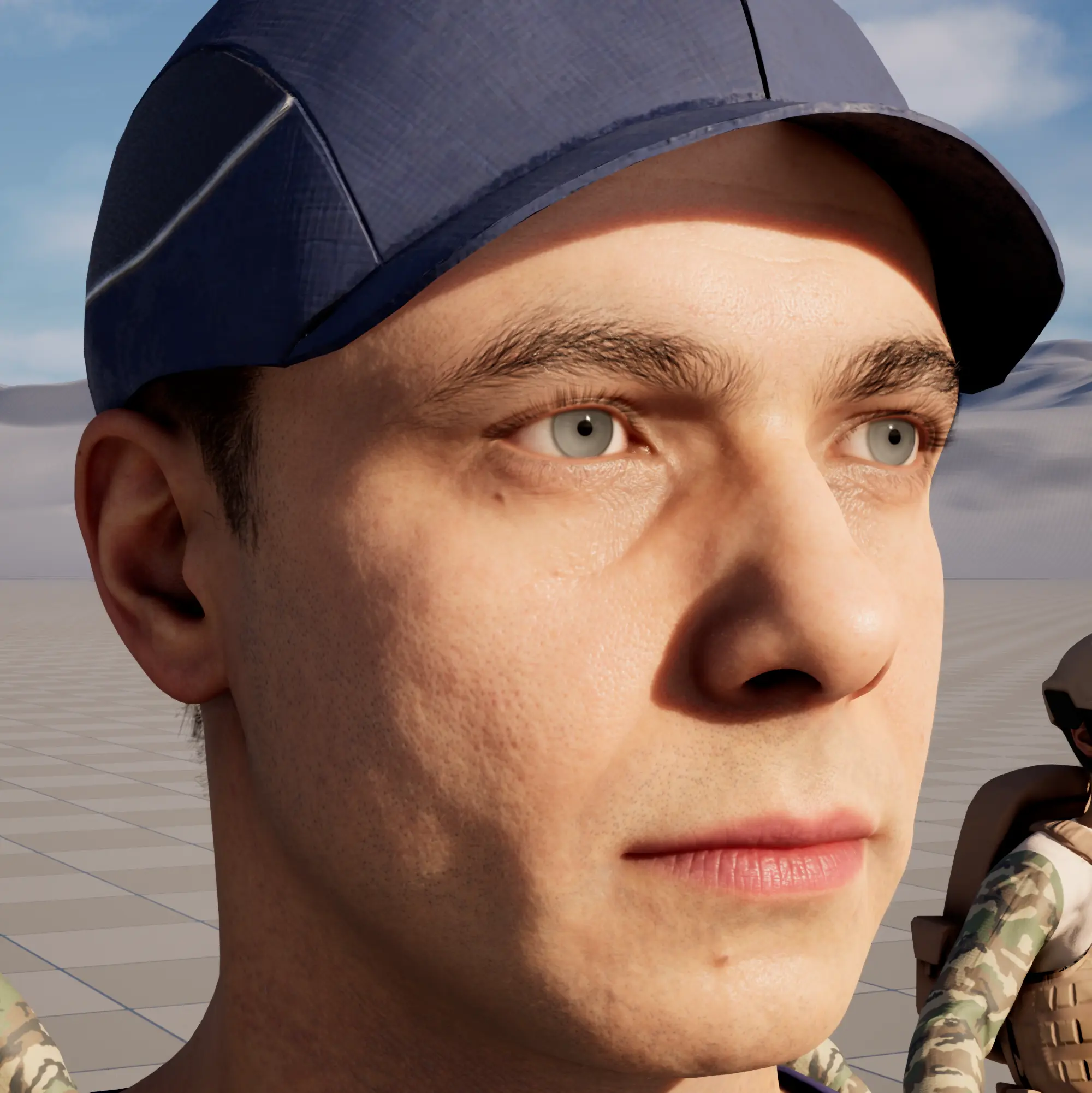
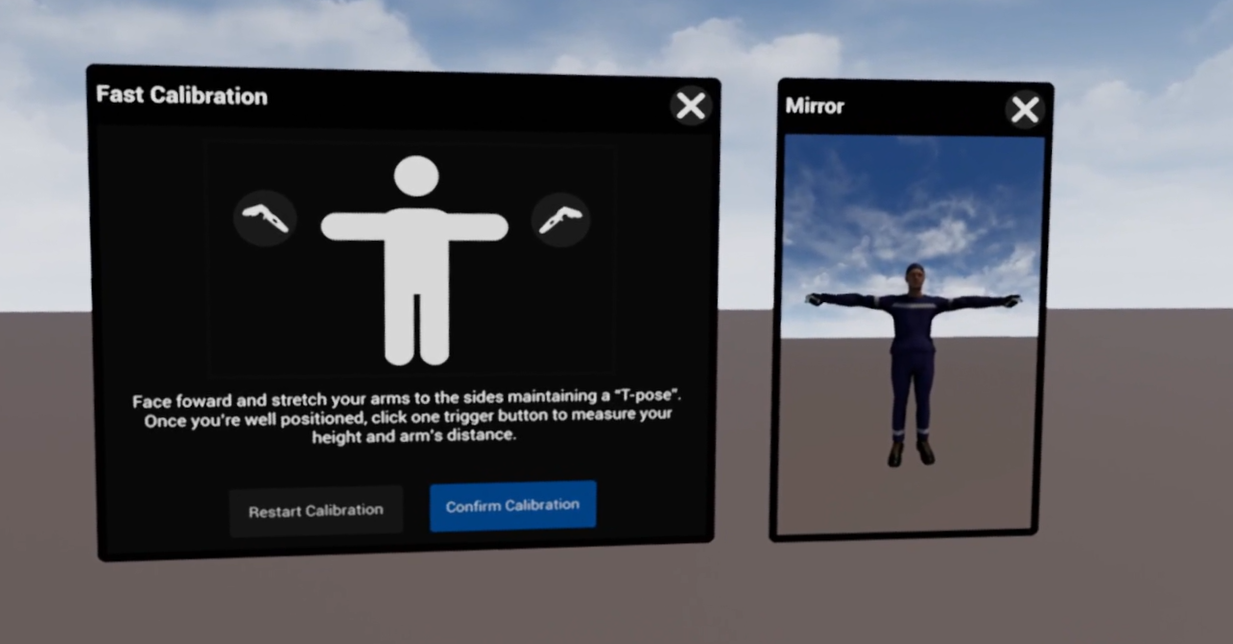
- Manikin Fast Calibration: Improved calibration, now using a mirror for precise alignment.
- Grab : new visual cues for overlap grab, and the targeted object can be changed easily as the hand approaches.

BackToCAD
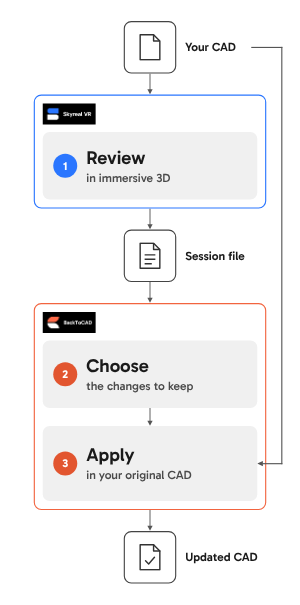
SKYREAL releases a major update of BackToCAD, the module that sends the modifications made in Skyreal VR back to the original CAD file ; now manikins can be sent back to the CAD model, alongside product structure changes (moves, colors), designs, tools, tickets and external parts. Each category can be enabled or left out as needed.
BackToCAD works with CATIA, FreeCAD and SolidWorks. Support for other CAD software is being considered.

Extensions Catalog
Discover the latest extensions now available for Skyreal VR. You can browse the full catalog online and simply contact our support team to add the ones you need to your XR Center.
Industrial View
Visualize your industrialization projects alongside Gantt and PERT planning, and review schedules, sequences and dependencies in context.
 Modular Tool
Create custom tools from the parts available in the catalogue.

Component Locator
Quickly locate any element in your model.
This extension helps you locate elements in your model and saves you time when navigating complex or large assemblies.

Basic Tools
A set of new tools to use in Skyreal VR
Props Library
This extension provides a library of ready-to-use props to enhance your scene and save time on setup.

Objects and symbols
Add emojis, symbols and objects in Skyreal VR and make your experiences clearer and more engaging.

Angle measure
An extension that adds a new measure command dedicated to angles

Video Recorder (experimental)
Add screen video recording to Skyreal VR. Capture your VR sessions and share them with people who don’t have a headset.
Animation Sequencer
Build animation sequences in your experiences with a dedicated timeline and keyframe editor.

Uniform scale
This extension lets you apply a uniform scale to parts and saves you time when setting up your experiences.

VR Pie Menu Selector
This extension lets you associate a pie menu configuration to an experience, so it is applied automatically when the experience launches.

Duplicate Part
Quickly duplicate any Part in an experience: Ctrl+D.

Orbit Navigation
Explore your model from every angle with a simple, familiar orbit navigation.

Hand Tracking Physics
Grab XDE physical objects with OpenXR hand tracking

Unreal Engine 5.8
SKYREAL 1.23 is built on Unreal Engine 5.8.
Please update your Unreal Engine installation to this version.