
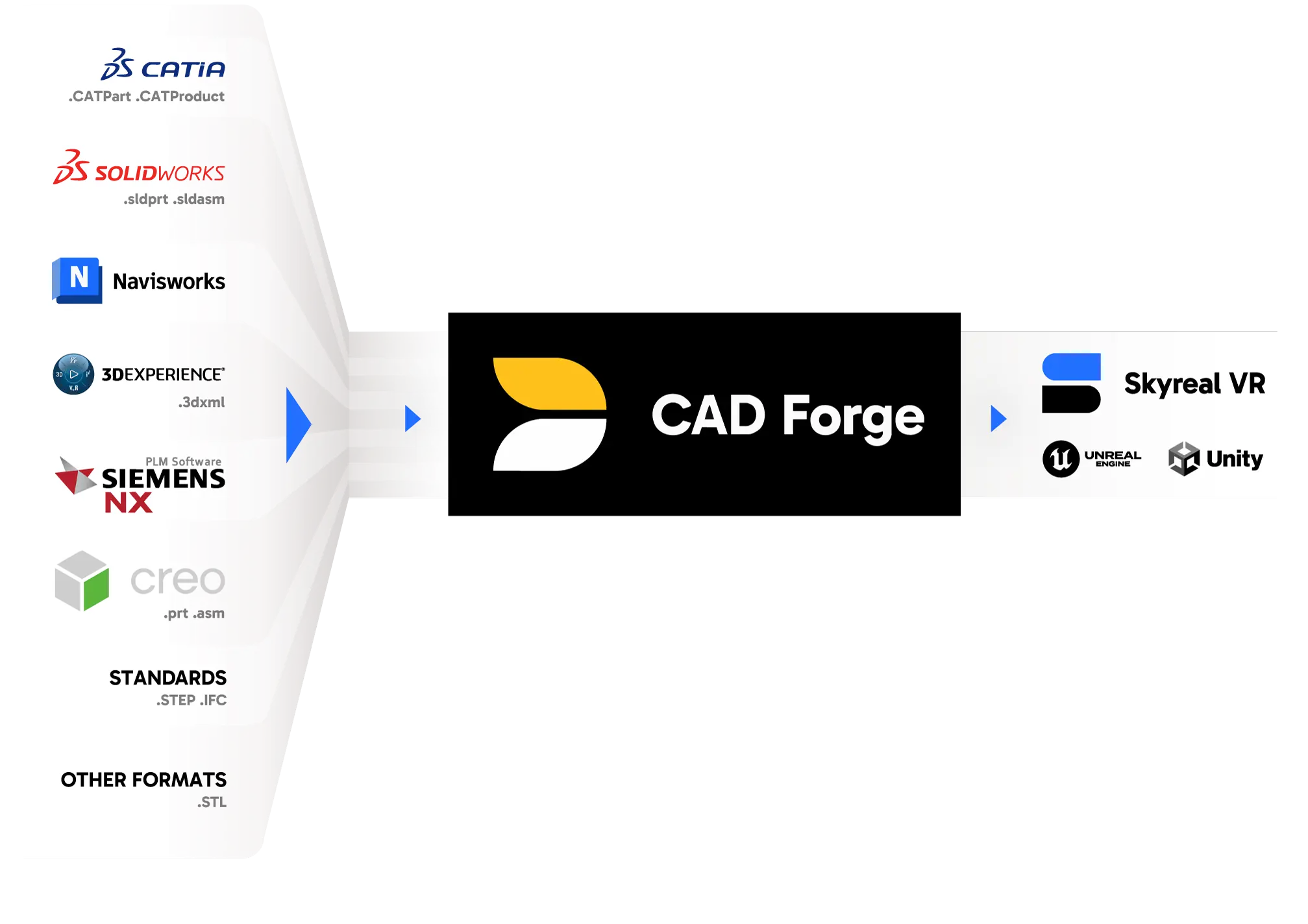
The CAD Forge platform provides an automated pipeline for converting any CAD data to:
- Power SKYREAL solutions and enhance the value of your digital assets with immersive technologies (VR experiences, collaborative workspaces, industry-specific applications).
- Generate assets for use in any game engine, including Unreal Engine and Unity.
- Convert any CAD data into another CAD file format, such as NX to CATIA, Rhino to STEP, or IFC to 3DXML (see the full list of supported formats below).

Key Features
- Import CAD file to XR environments and SKYREAL solutions solutions in a single automated step.
- CAD to Unreal Engine and Unity: generate optimized 3D assets for any game engine.
- Convert any CAD file type to any other CAD file type.
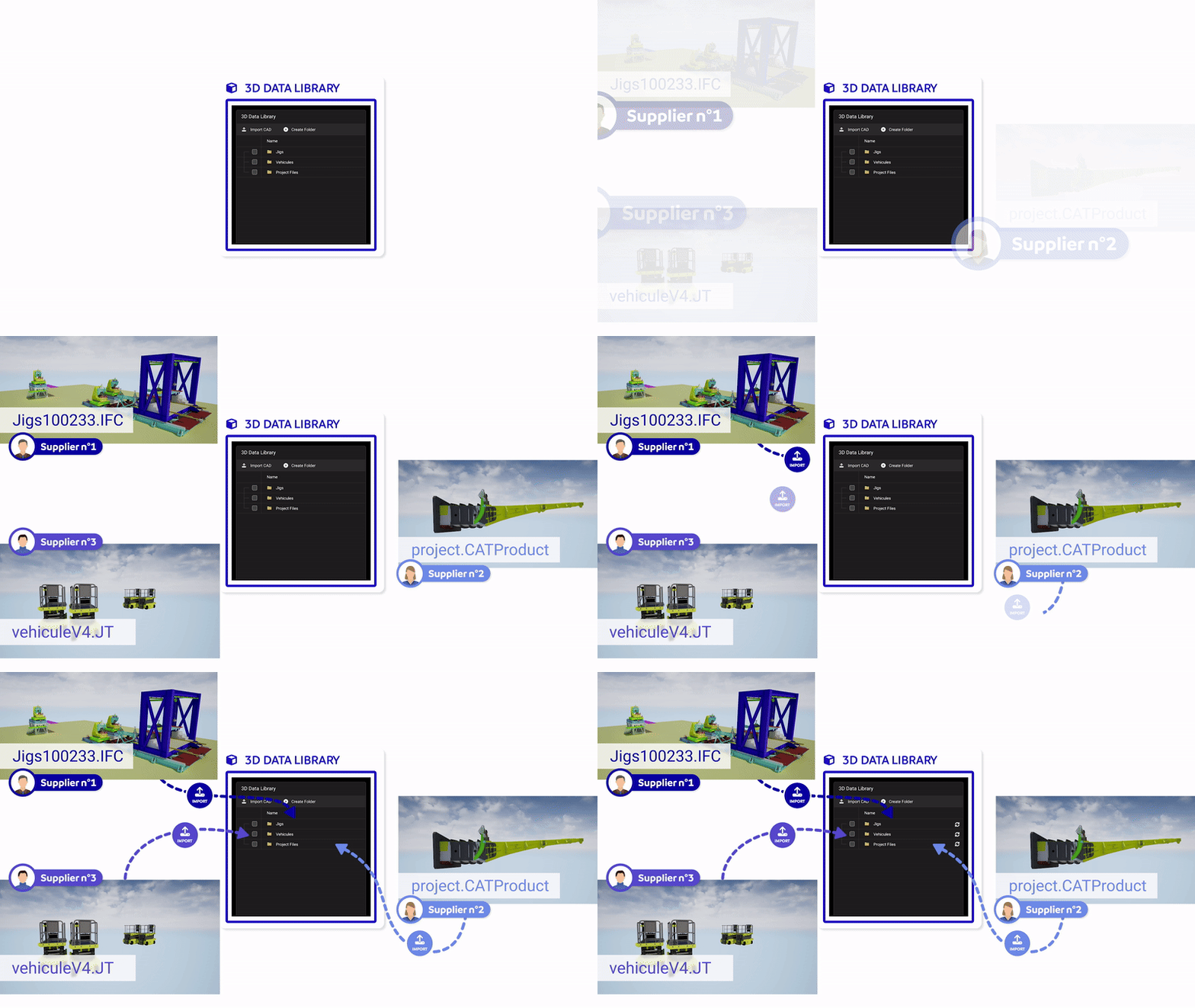
- Merge CAD data within a single experience → Watch the demo
- Geometry simplification for efficient large-scene management (supports ultra-complex models).
- Topology recognition and analysis of geometries.
- Automate and script conversions via command-line interface (CLI).
- CAD Forge Agent Pool, a prep infrastructure that enables task acceleration, workload scaling, and balancing across clusters.
- Seamless integration with XR Center, maximizing the use of industrial 3D data for optimized workflows and unmatched VR experiences.

Benefits
- Handles extremely large files.
- Offline preparation process, ensuring data confidentiality and security (on-premise infrastructure).
- Distributed infrastructure adapts to data for fast processing.
- Exceptional reliability, achieving 100% conversion success, even for large models.
- Integration with industrial information systems (PLM) for automatic data updates.
- Automatic CAD to Unreal Engine & Unity adaptation for XR, leveraging next-gen GPUs with Nanite and multi-instanced meshes.

CAD Forge MAX
With CAD Forge MAX, push the limits even further and load ultra-large models (1M+ parts) at record speeds.
This option is designed for teams working with XXL-scale maps, enabling high-speed processing of massive datasets while integrating:
- Topological simplification
- SAG control
- Node merging
- Dynamic expansion
- LOD management
What sets CAD Forge apart?
In the industrial sector, several conversion solutions exist. However, CAD Forge goes further by providing an infrastructure that deploys 3D data to third-party applications.
It’s an alternative to solutions like Pixyz, Datasmith or GPure.
Additionally, optimized CAD Forge data can be enriched with models and metadata for industry-specific 3D applications such as MBSE.
CAD Forge ensures a 100% crash-free conversion process for maximum reliability.

Supported File Formats for Conversion:
| CATIA V4 – V5 | .CATPart .CATProduct .CGR .model |
|---|---|
| CATIA V6 / 3DExperience | .3dxml |
| SIEMENS Product File | .jt .plmxml |
| Creo / Pro Engineer | .prt .asm |
| RHINO | .3dm |
| SOLIDWORKS | .sldprt .sldasm |
| STANDARDS | STEP, IFC |
| Inventor | .iam .ipt |
| Parasolid | .x_t .x_b .p_b .p_t |
| AutoCAD | .dwg |
| Microstation | .dgn |
| Navisworks | .nwd |
| ACIS | .sat .sab .asat .asab |
| Others | .igs .iges .vda .stl |